Best Monitor Arm Mounts for Your Home Office: 10 Picks Under $100
A monitor sitting on its stock stand is a wasted opportunity. Most factory stands offer one height, one tilt angle, and zero flexibility — which means most people are looking up, down, or slightly sideways at their screen all day without realizing it. A good monitor arm mount changes that completely. It lets you place your screen at precisely the right eye level, pull it close when you’re focused, push it back when you need space, and tuck it away entirely when you want your desk clear.
This guide covers the best monitor arm mounts for home office use — all priced under $100. Whether you need a single arm for a 27-inch monitor, a dual setup for a productivity boost, a heavy-duty mount for a larger screen, or a wall mount to free up your desk surface entirely, there’s a well-built, well-priced option here for you. Mr. Hippo has researched the market carefully and selected 10 picks that are genuinely worth recommending.
Why your home office needs a monitor arm
The average desk worker spends six to eight hours a day looking at a screen. The height and distance of that screen directly affects posture, neck load, and eye strain — and the fixed stands that ship with most monitors are not designed with ergonomics in mind. A monitor arm mount lets you dial in your screen to your exact sitting position, whether that’s eye level, slightly elevated, or angled to reduce glare from a nearby window.
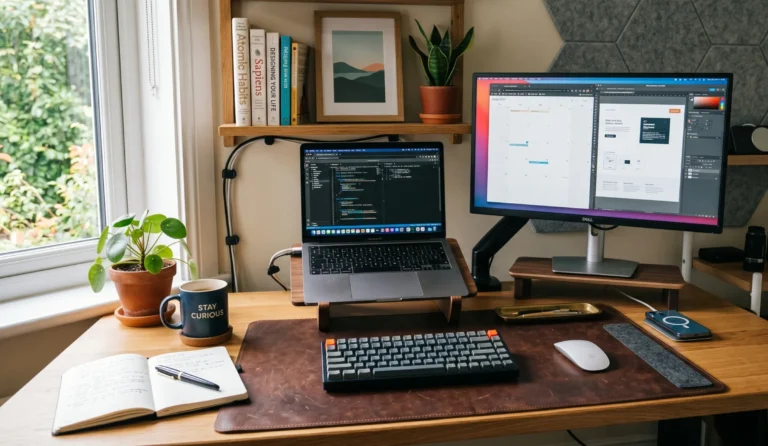
Beyond ergonomics, monitor arms reclaim desk space. Removing the stock stand instantly opens up a significant footprint on your desk — enough for a keyboard tray, a notebook, or simply breathing room. The result is a cleaner, more intentional home office setup.
Most monitor arms use one of two mechanisms to support your screen. Gas spring arms use a nitrogen-filled cylinder — similar to what holds your car’s hood open — to provide smooth, near-effortless height and angle adjustment. You can reposition your screen with one finger, and it stays exactly where you put it. Spring-loaded arms rely on mechanical springs and friction joints. They’re typically cheaper but require tighter adjustment and can drift or sag over time, especially with heavier monitors. For a home office used daily, a gas spring arm is almost always worth the modest extra cost.
10 best monitor arm mounts under $100
HUANUO FlowLift™ Pro Single Monitor Arm
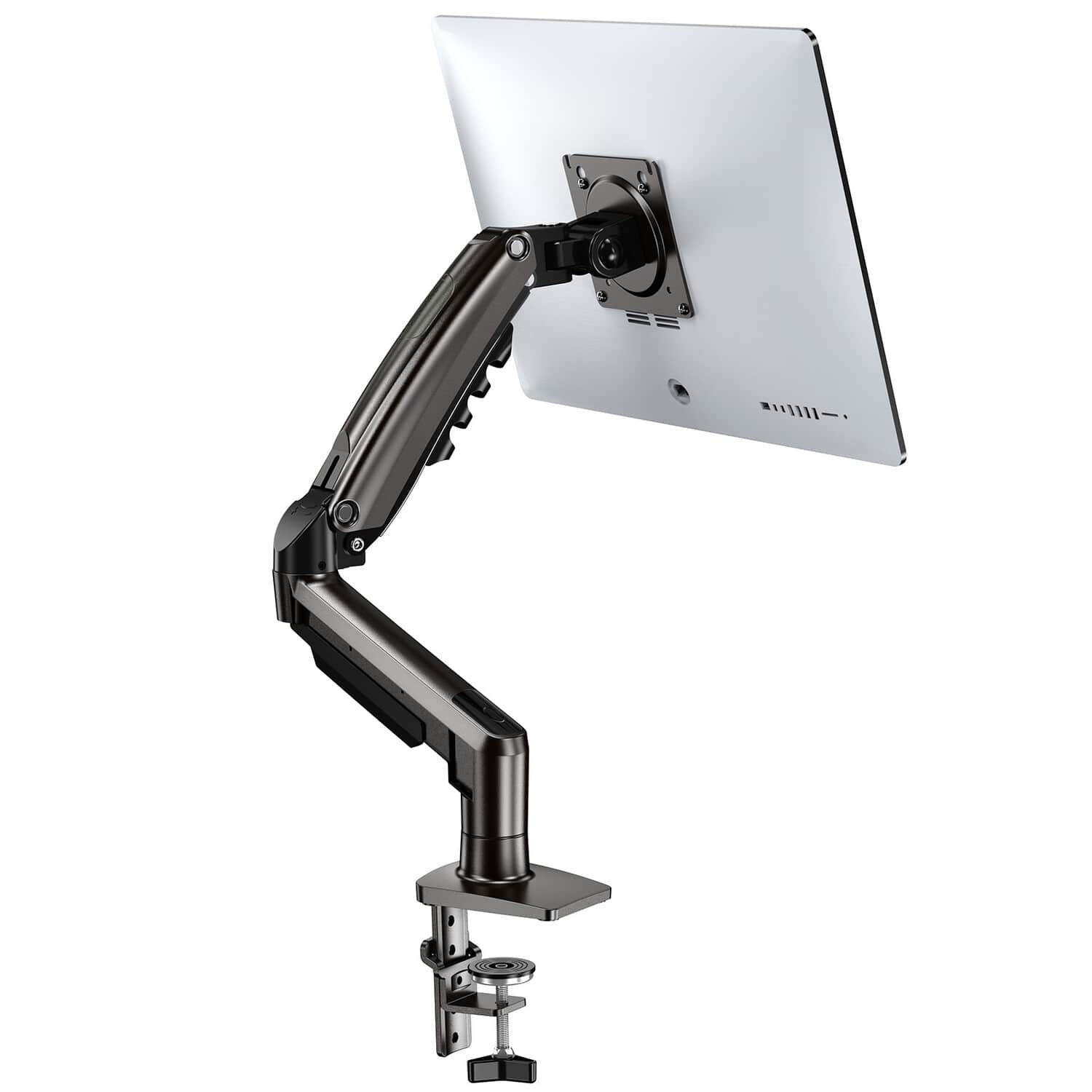
If you’re buying your first monitor arm mount for a home office and want one that simply works well without overthinking it, this is the pick. The HUANUO FlowLift Pro uses a gas spring mechanism that makes repositioning genuinely effortless — you can adjust height or angle with one hand while keeping the other on your keyboard. It’s solidly built from alloy steel, feels stable once set, and includes both C-clamp and grommet mounting hardware in the box. The 3-year warranty is an unusually strong commitment at this price tier.
Pros
- Smooth gas spring — easy one-hand adjustment
- Strong 3-year warranty for this price range
- Both C-clamp and grommet hardware included
- Supports portrait and landscape rotation
- Built-in cable management clips
Cons
- 32-inch size limit — not suited for ultrawides
- Basic cable cover rather than a full enclosed channel
This is the arm Mr. Hippo would recommend to most people upgrading a standard home office setup with a 24–32 inch monitor. The gas spring holds position reliably, the build quality punches above its price, and the warranty gives you real peace of mind. An easy recommendation for the best monitor arm under $100 in everyday use.
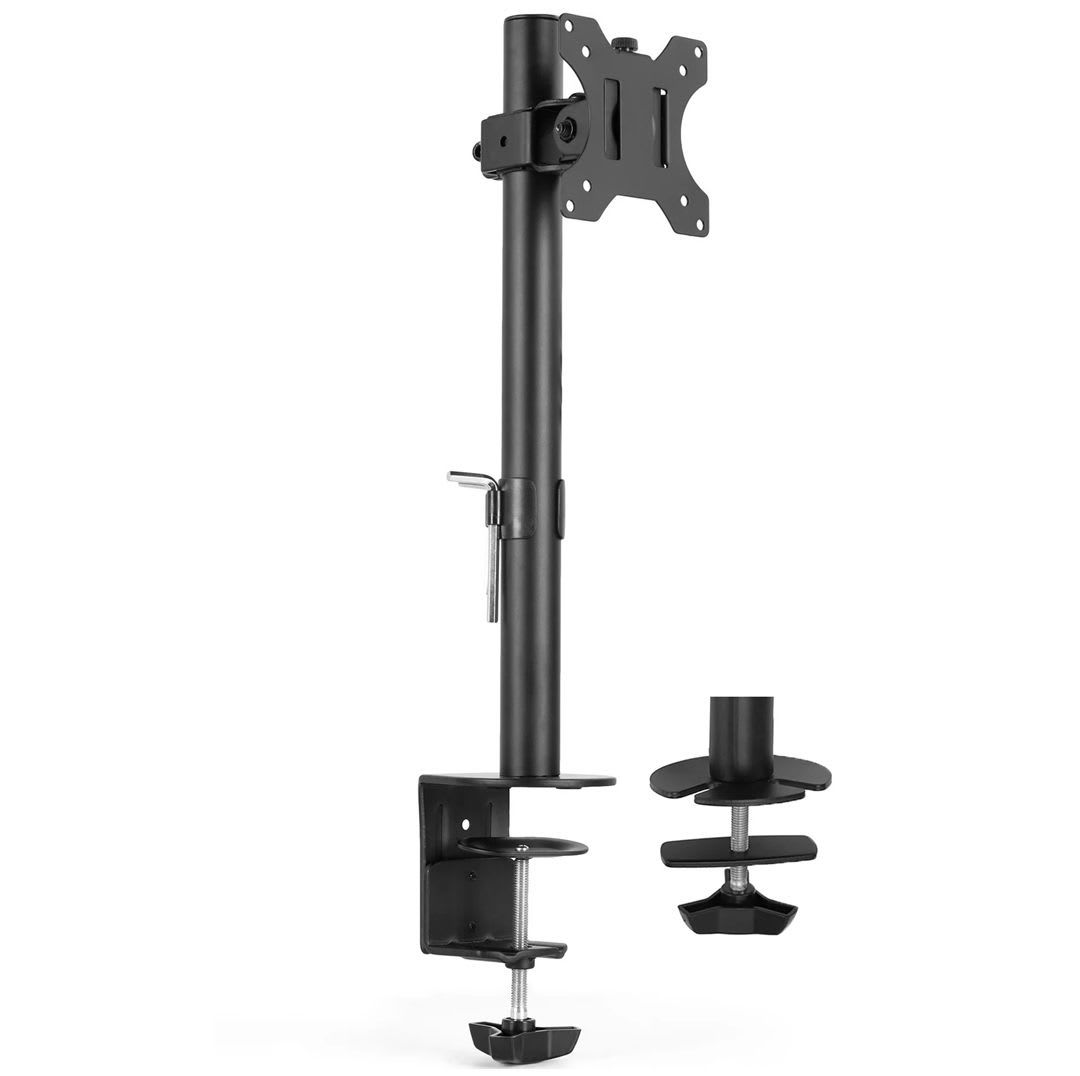
VIVO STAND-V001 Single Monitor Arm
The VIVO STAND-V001 has been one of the best-selling single monitor mounts on Amazon for years, and it earns that reputation through straightforward value rather than flashy features. It’s built from high-grade steel and aluminum, supports screens up to an unusually large 38 inches at 22 lbs, and every joint can be individually tightened to fine-tune how fluid or firm the arm feels. If you want a reliable, inexpensive single monitor arm for home office use and don’t need gas spring repositioning, this is the place to start.
Pros
- Excellent value — one of the lowest prices in this list
- Wide screen support up to 38 inches
- Each joint independently adjustable for your preferred feel
- Both mounting options included
Cons
- Spring-loaded, not gas spring — repositioning takes more effort
- Recent batches reported as slightly less flexible than older versions
A dependable, no-frills affordable monitor arm for anyone who wants a well-built desk mount monitor arm without paying for a gas spring mechanism. Particularly good value if you have a large screen in the 30–38 inch range and don’t plan to reposition it frequently.
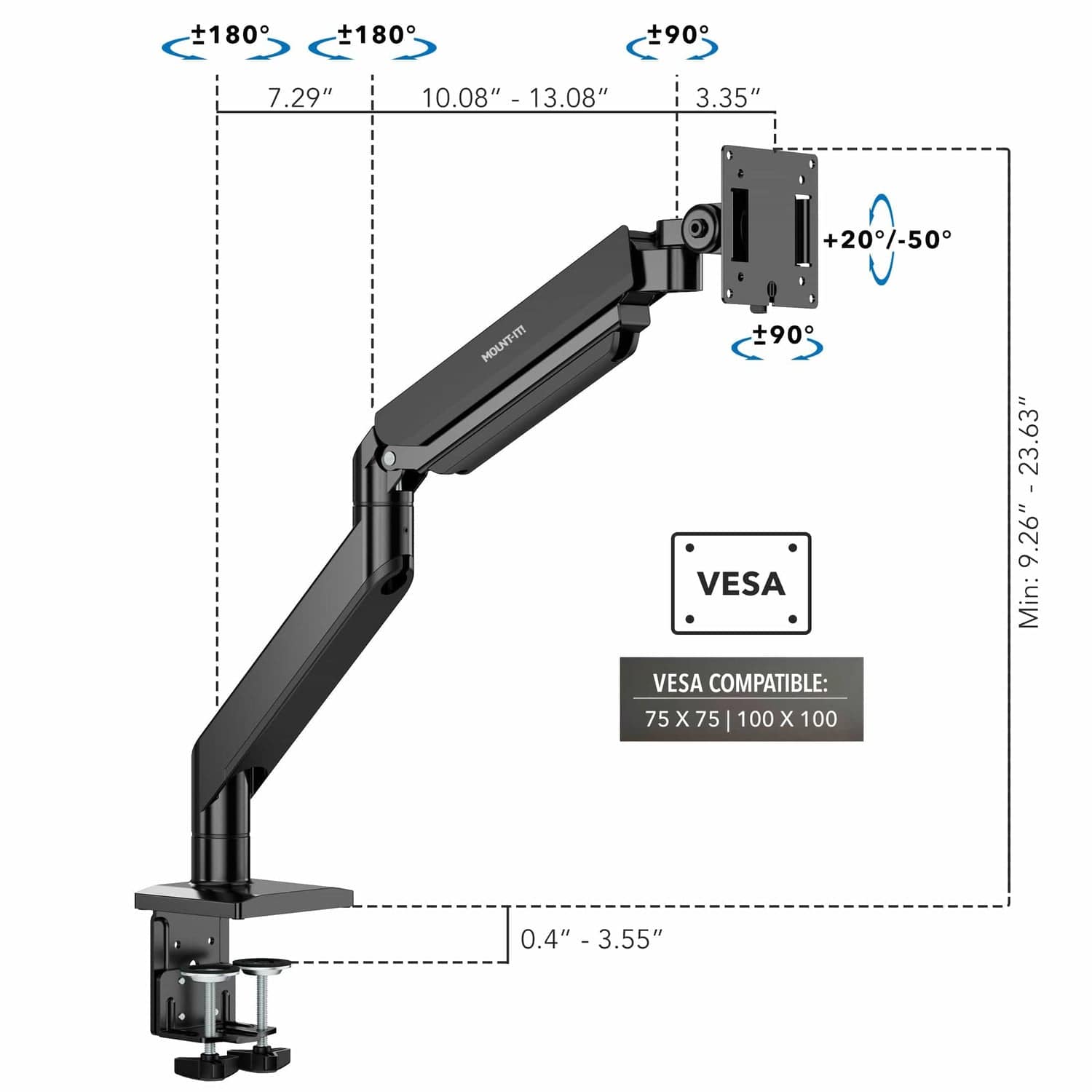
Heavy Duty Gas Spring Single Monitor Arm (22–40 inch)
This is the right arm when you have a larger, heavier monitor — particularly in the 27–40 inch range — and want the smooth repositioning of a gas spring rather than a friction joint. The 30.9 lb weight capacity is notably high for a monitor arm under $100, covering most 27–32 inch displays with room to spare. It supports both C-clamp and grommet desk mounting and includes the standard VESA 75×75 and 100×100mm compatibility that fits virtually all modern monitors. A solid choice for users who want a heavy duty monitor arm without the premium price.
Pros
- High 30.9 lb weight capacity for this price point
- Gas spring for smooth, one-handed repositioning
- Supports monitors up to 40 inches
- Both C-clamp and grommet mounting included
Cons
- Minimum screen size of 22 inches — not for compact displays
- Bulkier build than arms designed for lighter screens
If you own a 27–32 inch monitor and want a gas spring arm that can actually handle the weight without sagging, this is a well-priced option. The 30.9 lb capacity gives you real headroom, and the gas spring makes daily adjustments feel natural rather than forced.
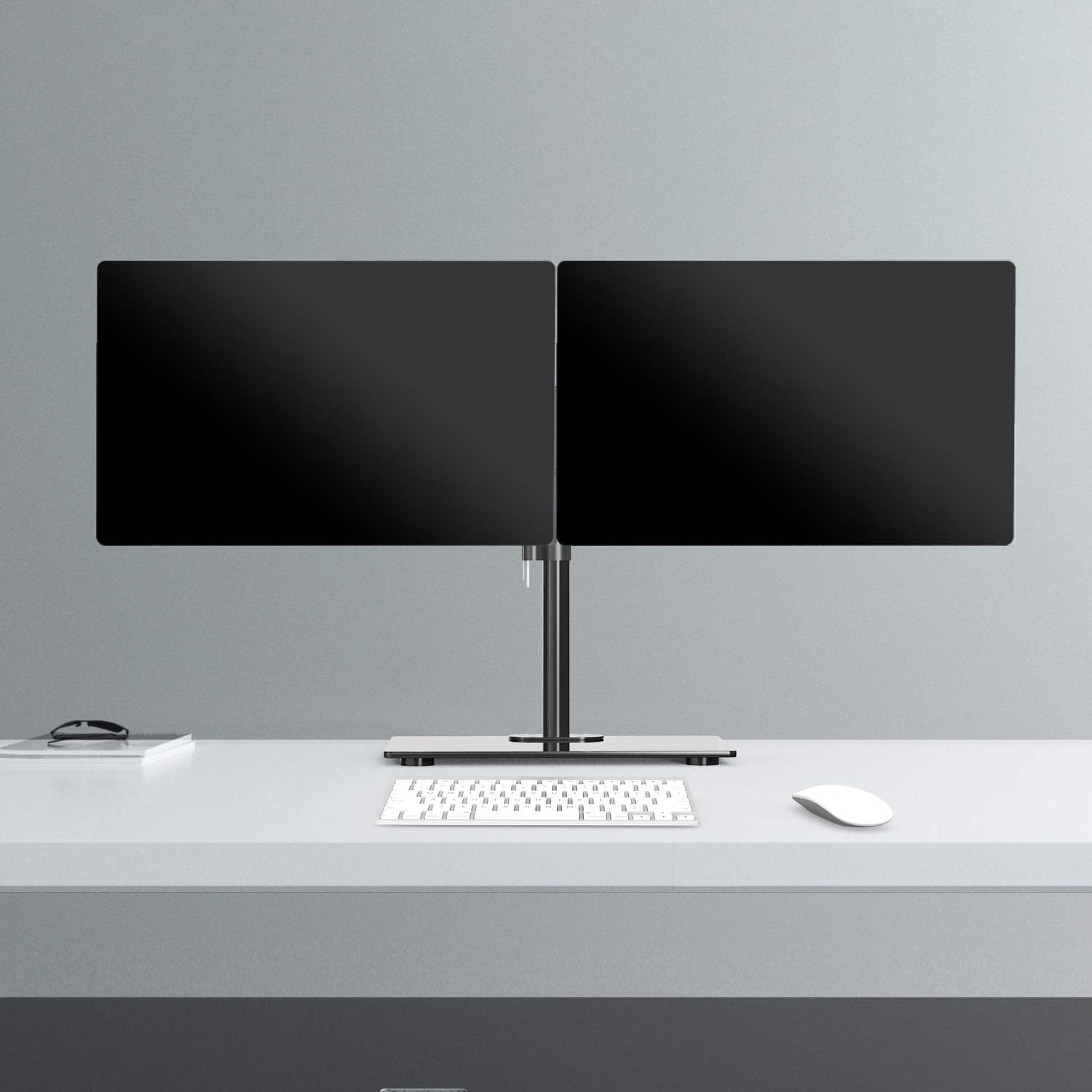
WALI Freestanding Dual Monitor Stand (GMF002)
Most monitor arms attach to the desk edge with a clamp or grommet hole. This WALI stand takes a different approach: it sits on a weighted glass base, making it completely freestanding. That’s a real advantage for desks where clamping isn’t possible — glass tops, sit-stand desks with thick frames, or shared workspaces where drilling isn’t an option. It holds two monitors up to 27 inches each at 22 lbs per arm, with full height and tilt adjustment. A thoughtful, practical pick for setups where a traditional clamp mount won’t work.
Pros
- No clamp required — freestanding glass base
- Works on glass, stone, or any desk surface
- Dual monitor support with independent tilt adjustment
- Also includes grommet mounting option
Cons
- Freestanding base takes up some desk footprint
- 27-inch screen size limit per arm
- Less articulation range than a true arm mount
This is the option to reach for when a desk clamp or grommet isn’t practical. The glass base is stable and looks clean on a tidy desk. A smart dual monitor setup choice for home offices where drilling or clamping isn’t possible.
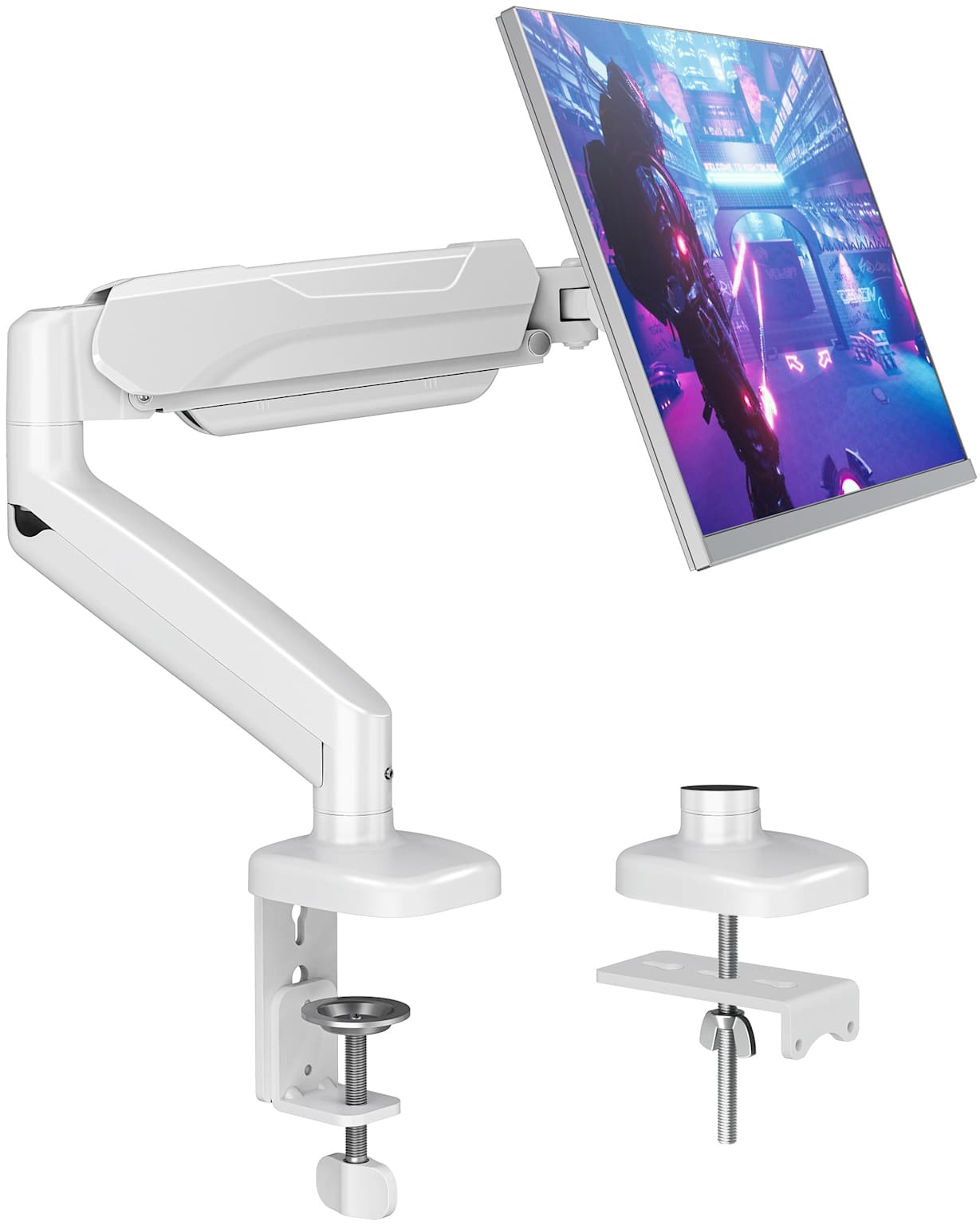
Suptek Gas Spring Monitor Mount (White)
The Suptek mount is the answer to a specific question: can you get a gas spring monitor arm for under $35? The answer is yes, and this is it. It handles monitors from 17 to 35 inches at up to 24.25 lbs, includes full tilt, swivel, and 360-degree rotation, and attaches via either C-clamp or grommet base. The white colorway also makes it a nice fit for brighter, Scandinavian-style home office setups where black hardware looks out of place. It won’t feel as refined as a pricier arm, but for light daily use it delivers the key benefit: smooth, effortless height adjustment.
Pros
- Gas spring at an ultra-budget price
- Available in white — good for light-colored setups
- Covers a wide screen size range (17–35 inch)
- Full motion including 360° rotation
Cons
- Build quality reflects the price — joints feel less premium
- Should be fully tightened post-installation for best stability
If budget is the primary constraint and you still want a gas spring arm, this delivers. It’s a practical starting point for a first home office monitor mount, a secondary display, or a light-use workstation where frequent repositioning isn’t the priority.
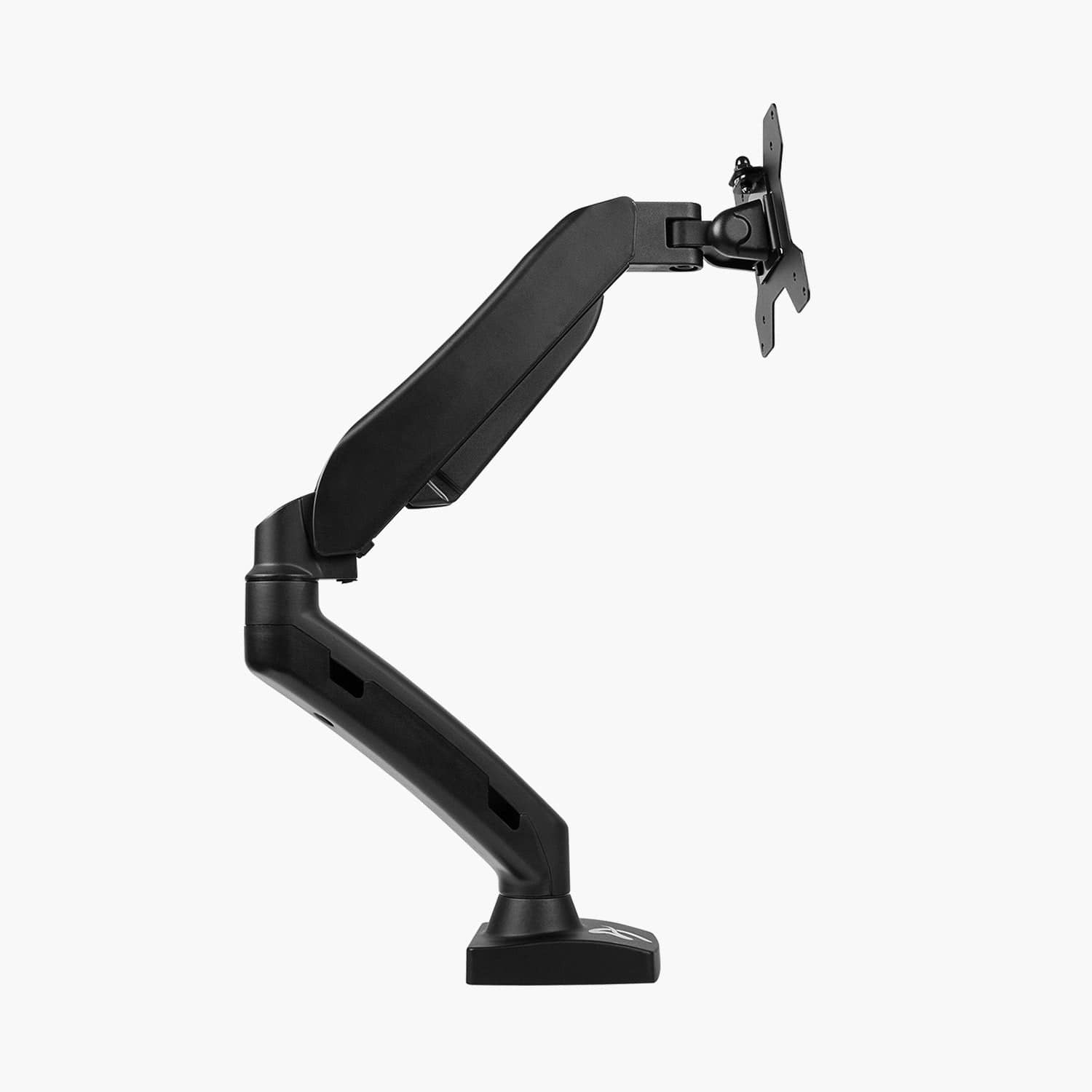
Amazon Basics Gas Spring Single Monitor Arm
For someone who has never used a monitor arm before and wants the confidence of a recognizable brand at a low price, the Amazon Basics gas spring arm is a sensible choice. It supports monitors up to 27 inches with a gas spring mechanism, attaches via C-clamp, and covers the standard VESA 75×75 and 100×100mm hole patterns. It won’t wow you, but it won’t disappoint you either — which is exactly the point. Think of it as a low-risk introduction to ergonomic monitor mounting for a standard 24 or 27 inch home office display.
Pros
- Familiar brand — easy to return if needed
- Gas spring mechanism at a very low price
- Simple, clean install for first-time buyers
Cons
- C-clamp only — no grommet option
- 17.6 lb capacity limits use to lighter 24–27 inch monitors
- Not suited for monitors above 27 inches
The best choice when you want simplicity and a name you recognize. It does the job for a standard 24 or 27 inch home office monitor and removes the risk of committing to a less familiar brand on your first purchase. If your monitor is heavier or larger, step up to pick #3 or #1 instead.
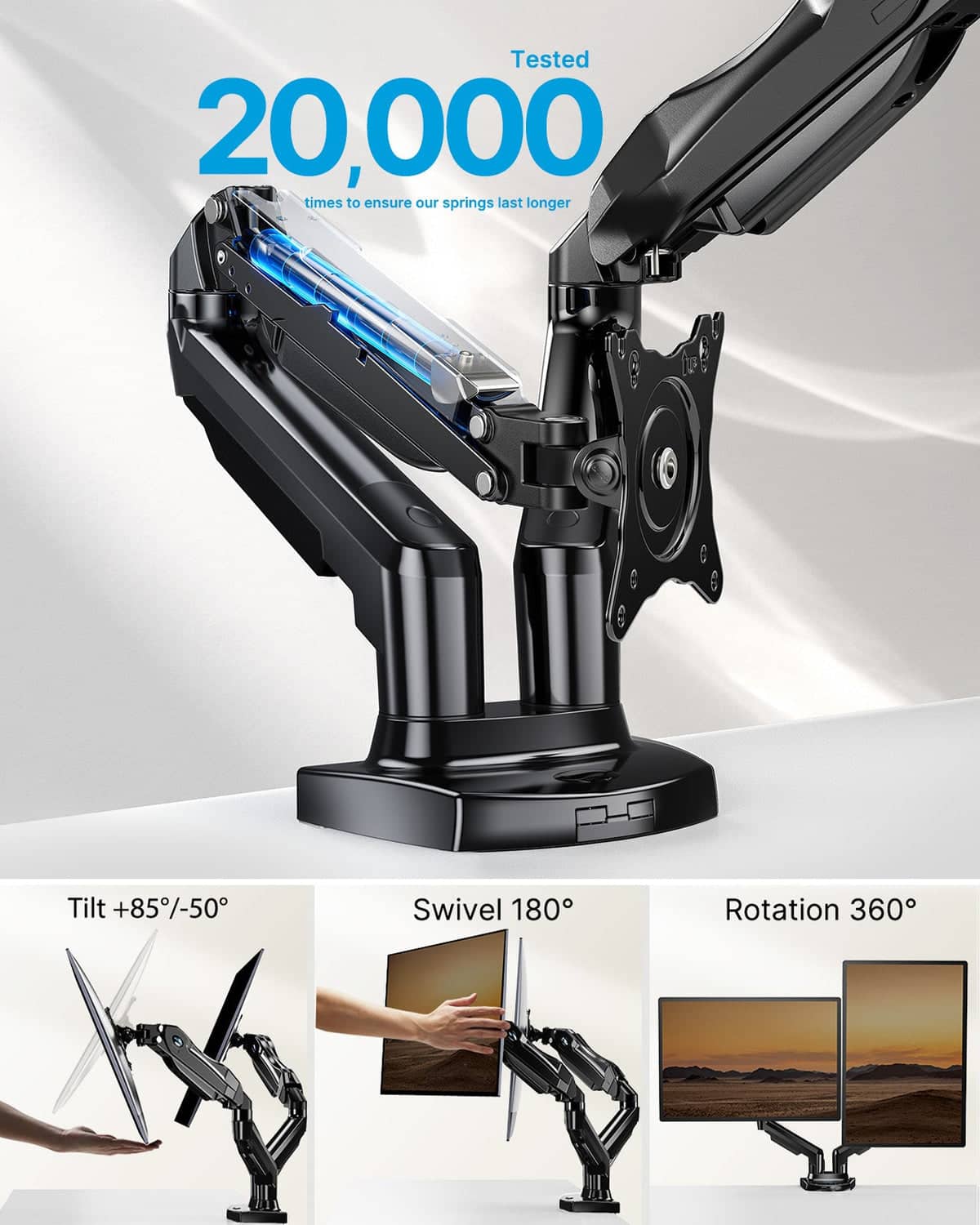
HUANUO FlowLift™ Dual Monitor Stand
For home office workers who want two monitors on their desk without the clutter, this HUANUO dual arm is the best place to start. Each arm moves independently on its own gas spring, so you can set the left screen in landscape and the right in portrait, or angle them asymmetrically for your exact workflow. The arm supports screens from 13 to 32 inches with a per-arm capacity of up to 19.8 lbs, covers both VESA 75×75 and 100×100mm, and includes the same C-clamp and grommet hardware as the single version. The 3-year warranty applies here too.
Pros
- Independent gas spring per arm — full asymmetric control
- Portrait and landscape per arm, independently
- Strong 3-year warranty
- Both C-clamp and grommet hardware included
- Built-in cable management on both arms
Cons
- 32-inch per-arm limit — not for ultrawide second screens
- Minimum 4.4 lb per arm — very light monitors may not tension properly
This is the dual monitor arm Mr. Hippo recommends for home offices with two standard-sized screens. The independent gas spring design means each screen can live at exactly the height and angle you want, independently of the other — which is the key advantage over cheaper dual arms that share a single adjustment mechanism.
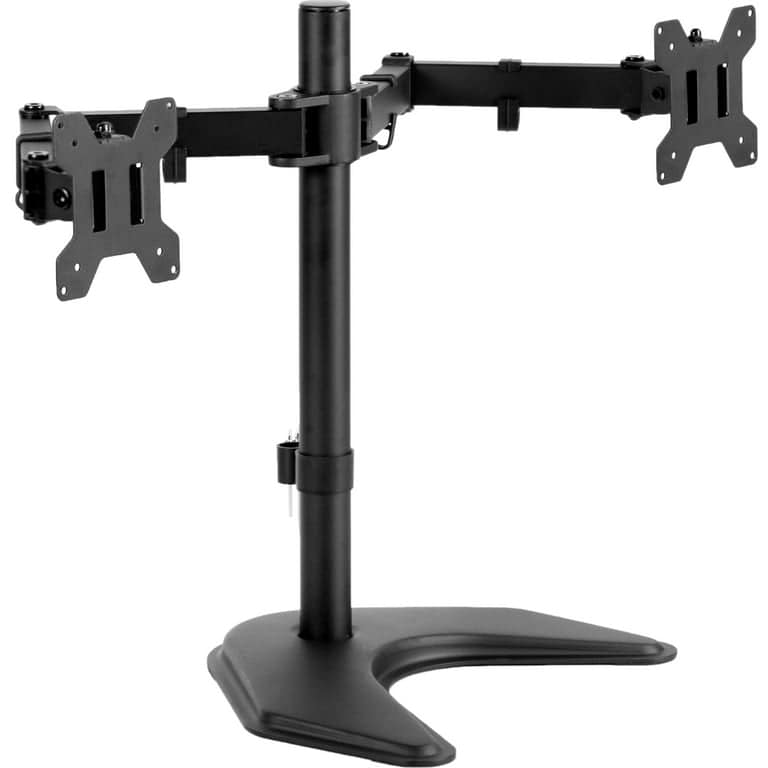
VIVO STAND-V002 Dual Monitor Desk Mount
When the goal is a two-screen home office setup at the lowest responsible price, the VIVO STAND-V002 is the place to land. It uses a central pole with two independently adjustable arms, each supporting screens up to 30 inches and 22 lbs. Both arms offer full tilt, swivel, and rotation, and the heavy-duty C-clamp handles desk edges up to 3.25 inches thick. Cable clips run along both arms and the center pole to keep routing tidy. A 3-year warranty provides the same coverage as the more expensive options in this list.
Pros
- Best value dual monitor arm in this guide
- 22 lbs per arm capacity — handles most monitors
- 3-year warranty included
- Cable management along arms and center pole
- Heavy-duty clamp for thick desk edges
Cons
- Spring-loaded, not gas spring — more effort to reposition
- 30-inch size limit per arm
A reliable dual monitor setup choice for users who want two screens mounted cleanly without a significant investment. If you rarely reposition your monitors once set, the spring-loaded mechanism won’t be a limitation in practice — and the savings over a gas spring dual arm are real.
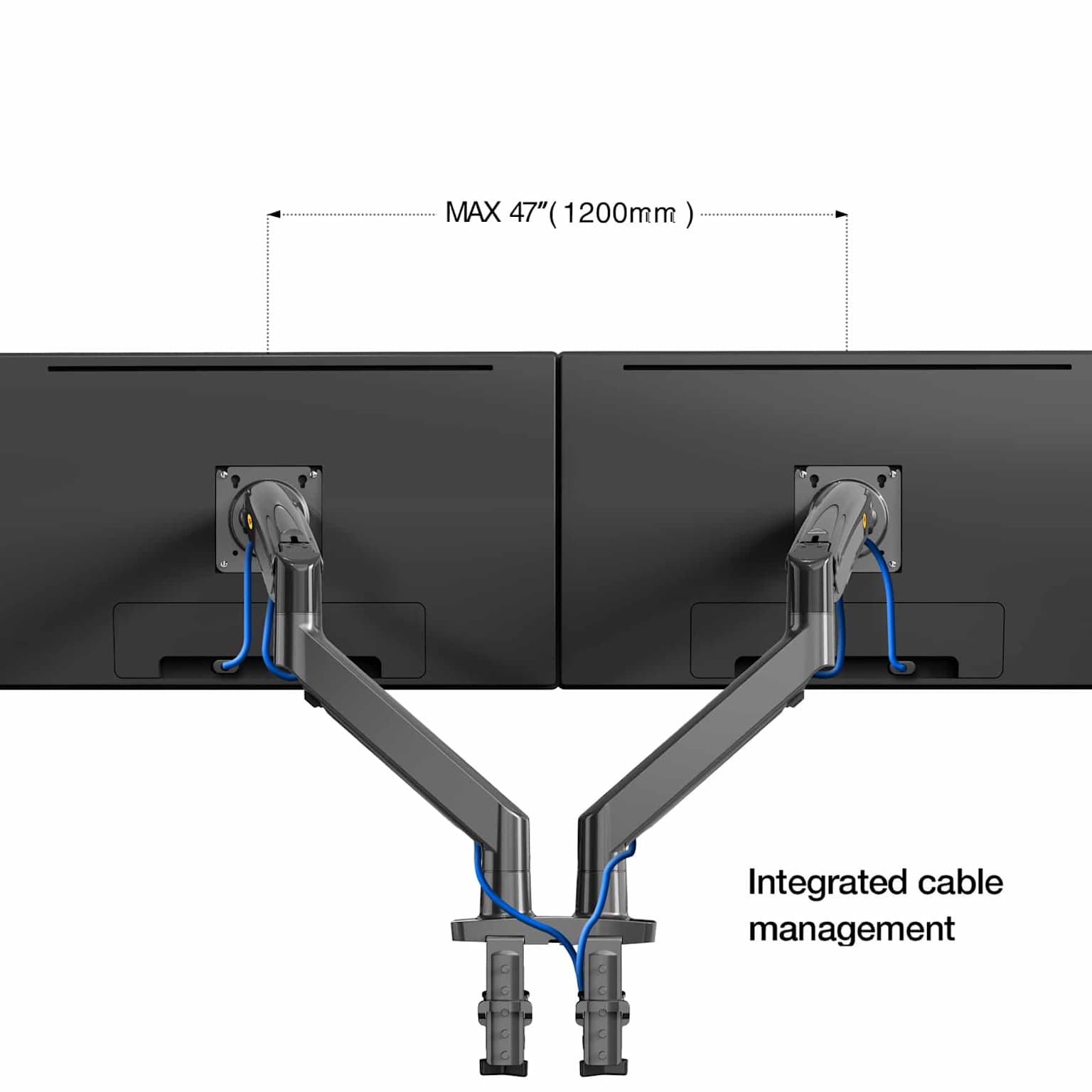
North Bayou G75 Dual Monitor Arm
North Bayou is a brand that focuses on monitor mounting hardware, and the G75 dual arm reflects that specialization. It uses a gas spring mechanism on both arms, supporting screens up to 32 inches with a per-arm capacity of 6.6 to 26.4 lbs — which covers virtually all standard desktop monitors, including heavier 32-inch displays that strain cheaper dual arms. Full swivel and tilt adjustment on each arm, and a build that communities of monitor arm buyers consistently describe as sturdier than comparable HUANUO budget models for heavier setups.
Pros
- Gas spring per arm — smooth independent adjustment
- 26.4 lb capacity handles heavier 32-inch monitors
- Consistently praised for build quality at this price
- Good choice for two matching 27–32 inch displays
Cons
- C-clamp only — no grommet base option listed
- 6.6 lb minimum per arm — may not tension properly for very light monitors
If you have two 27 or 32-inch monitors — particularly heavier ones — and want a gas spring dual arm rather than a spring-loaded one, the North Bayou G75 is a strong contender at its price. The higher per-arm weight capacity is the decisive advantage over similarly priced dual arms in this category.
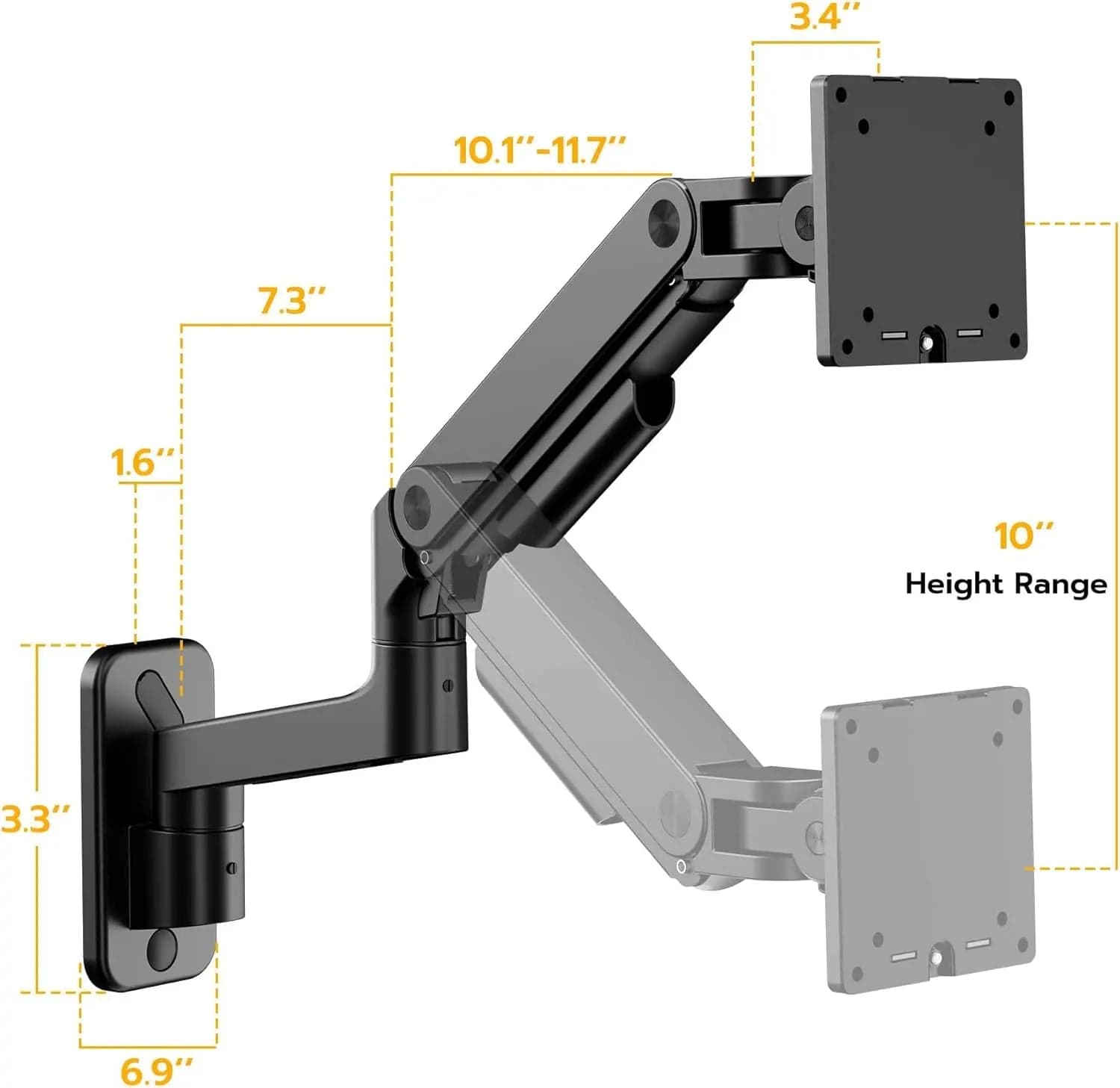
ARES WING GDT1004WLBK Wall Mount Monitor Arm
Most monitor arms in this guide clamp to your desk. This one attaches to the wall — which completely frees up your desk surface and provides the most stable possible foundation for a large or ultrawide screen. The ARES WING GDT1004WLBK mounts directly to a wall stud or anchor and supports monitors from 17 to 49 inches with a 44 lb weight capacity. That covers even large ultrawide displays that exceed the limit of most desk-mounted arms under $100. It’s a particularly well-suited wall mount monitor arm for home offices with dedicated stations where the screen position doesn’t change day to day.
Pros
- Completely clears the desk surface
- 44 lb capacity covers ultrawides and large displays
- Most stable mounting option available
- Supports screens up to 49 inches
Cons
- Permanent installation — requires wall drilling
- Screen position less flexible once mounted
- Requires suitable wall stud or anchor
If you have a dedicated home office, a large or ultrawide monitor, and you want the cleanest possible desk — this is the category worth considering. The tradeoff is permanence: once it’s on the wall, it’s committed. For setups that won’t change, that’s a feature, not a limitation.
Quick comparison — all 10 picks
| # | Product | Type | Screen Size | Weight Cap. | Mechanism | Best For |
|---|---|---|---|---|---|---|
| 1 | HUANUO FlowLift Pro Single | Single | 13–32″ | 19.8 lbs | Gas Spring | Best overall |
| 2 | VIVO STAND-V001 | Single | 13–38″ | 22 lbs | Spring / Friction | Best budget single |
| 3 | Heavy Duty Gas Spring Single | Single | 22–40″ | 30.9 lbs | Gas Spring | Heavy / large monitors |
| 4 | WALI GMF002 Freestanding Dual | Dual | Up to 27″ each | 22 lbs/arm | Freestanding | No-clamp desks |
| 5 | Suptek Gas Spring (White) | Single | 17–35″ | 24.25 lbs | Gas Spring | Ultra-budget gas spring |
| 6 | Amazon Basics Gas Spring Single | Single | Up to 27″ | ~17.6 lbs | Gas Spring | First monitor arm |
| 7 | HUANUO FlowLift Dual | Dual | 13–32″ each | 19.8 lbs/arm | Gas Spring | Best dual overall |
| 8 | VIVO STAND-V002 Dual | Dual | 13–30″ each | 22 lbs/arm | Spring / Friction | Budget dual setup |
| 9 | North Bayou G75 Dual | Dual | Up to 32″ each | 26.4 lbs/arm | Gas Spring | Heavy dual monitors |
| 10 | ARES WING GDT1004WLBK | Wall | 17–49″ | 44 lbs | Wall Mount | Ultrawide / permanent |
How to choose the right monitor arm mount
Gas Spring vs. Spring-Loaded Arms
This is the most important mechanical distinction in this product category. A gas spring arm uses a pressurized cylinder to counterbalance the weight of your screen, letting you reposition it with minimal effort. It holds position when you release it and doesn’t sag over time. A spring-loaded or friction-joint arm uses mechanical springs and adjustable joints that rely on friction. You set the position and tighten the joints to hold it. It works, but repositioning takes more force, and joints can loosen with repeated adjustment.
For daily home office use — especially if you adjust your monitor height or angle frequently, or share the desk with others — a gas spring arm is the better long-term investment, even if it costs a little more. If you set the screen once and rarely move it, a friction-joint arm is a perfectly reasonable choice.
VESA Compatibility: 75×75 and 100×100
VESA is the standard hole pattern on the back of monitors used to attach a mount. Two sizes cover the vast majority of modern desktop monitors: VESA 75×75mm for smaller or lighter displays, and VESA 100×100mm for most mid-size and large monitors. Every arm in this guide supports both patterns. Before buying, check your monitor’s spec sheet or the back panel — if it says “VESA 75×75” or “VESA 100×100,” any arm here will fit.
Some monitors — particularly ultra-thin or “borderless” designs — do not have VESA holes at all. If that’s your situation, look for a VESA adapter kit that attaches to the monitor’s stand socket. These are inexpensive and widely available separately.
Screen Size and Actual Monitor Weight
Screen size and monitor weight are related but not the same. A 27-inch monitor might weigh anywhere from 8 lbs to 16 lbs depending on whether it’s an IPS panel, a gaming monitor with a thick chassis, or a professional display with extra shielding. Always verify your monitor’s actual weight — listed in the spec sheet under “without stand” — and compare it to the arm’s maximum capacity before purchasing.
As a general guide: most 24-inch monitors fall in the 8–12 lb range. Most 27-inch monitors fall in the 10–16 lb range. Most 32-inch monitors fall in the 12–20 lb range. If your monitor is on the heavier side, leave a meaningful buffer below the arm’s maximum — running an arm at 95% of capacity daily will shorten its lifespan.
C-Clamp vs. Grommet Base vs. Freestanding vs. Wall Mount
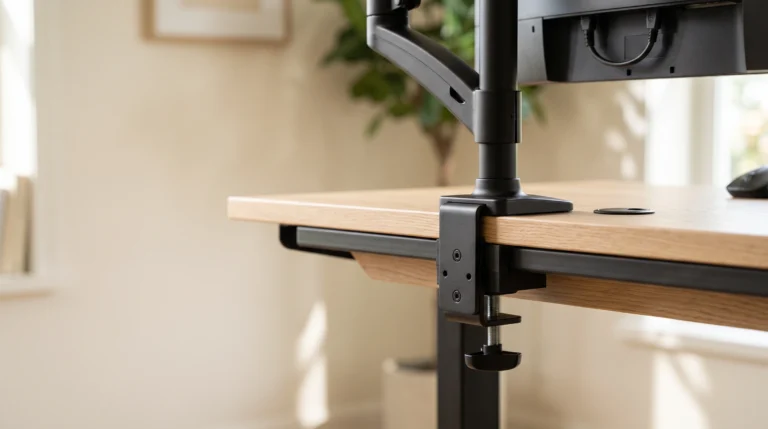
How the arm attaches to your desk is as important as what it holds. C-clamps grip the edge of the desk and require no drilling — they’re the most common and easiest to install. They work on desk edges roughly 0.4 to 3.5 inches thick. Grommet bases drop through a pre-drilled hole in the desk surface and lock underneath — cleaner looking, more secure, but permanent. Most arms in this guide include both options in the box. Freestanding bases (like the WALI GMF002) sit on the desk without attaching at all — useful for glass tops, thick-framed desks, or shared workspaces. Wall mounts anchor to the wall rather than the desk entirely, freeing up all desk surface and offering the most stable base for large or ultrawide displays.
Desk Thickness and Material Concerns
Measure your desk edge thickness before choosing a mounting method. Most C-clamps handle 0.4 to 3.25 or 3.5 inches. Thicker surfaces may require a wider clamp base, which some arms offer as an accessory. Hollow-core doors used as desks, particleboard furniture, and very thin desktop surfaces deserve extra caution — a clamp exerts significant focused pressure. In those cases, a grommet mount distributes load more evenly, or a freestanding base avoids the issue entirely. Glass-top desks are only safe with freestanding bases or wall mounts.
Cable Management
All arms in this guide include some form of cable management — typically clips along the arm that hold monitor power and display cables in place. Higher-quality arms like the HUANUO FlowLift series and the ErGear alternatives include more integrated routing. If cable management is a priority for your home office setup, look for arms with enclosed or snap-cover channels rather than simple clip attachments.
Single vs. Dual Monitor Setups
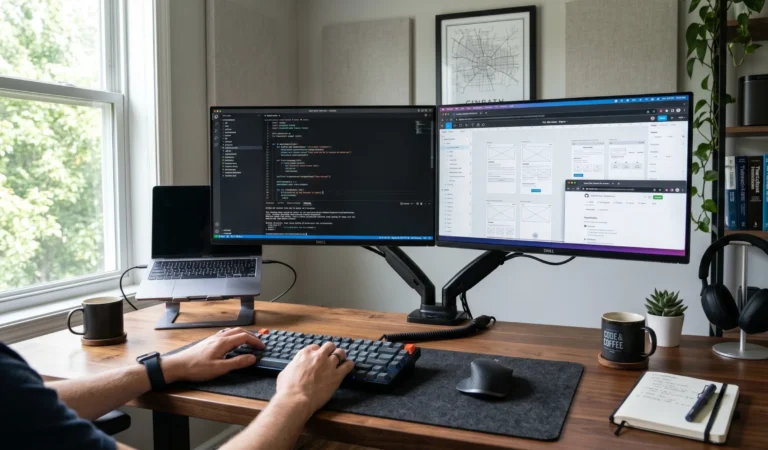
For most home office workers, a single monitor arm is enough — it frees desk space, improves ergonomics, and allows portrait mode. If you regularly work with two applications side by side — coding with documentation open, writing with research open, or managing multiple client tools simultaneously — a dual monitor arm for productivity will make a meaningful difference in how your workday feels. Budget for a gas spring dual if you plan to adjust the screens independently throughout the day.
When a Heavy Duty Arm Is Worth It
For 27-inch monitors and below, the standard 19.8–22 lb rated arms in this guide are appropriate. When you’re mounting a 32-inch display, a gaming monitor with extra chassis weight, or a professional-grade screen, look for arms rated at 26–33 lbs or above. The picks #3 (30.9 lbs) and #9 (26.4 lbs per arm) in this guide cover that range. A heavy monitor on an underpowered arm will sag, drift, or cause premature wear on the gas spring mechanism.
What Matters Most for Ultrawide Monitors
Ultrawide monitors (34 to 49 inches) have specific requirements. They’re wider, heavier, and their center of gravity is different from standard displays. For ultrawides, verify: (1) the arm’s listed screen size upper limit, (2) the weight capacity with a buffer, and (3) whether the VESA mount head is wide enough to support the screen stably. Many standard arms are not appropriate for ultrawides. For this use case, consider the wall mount option (pick #10, with its 44 lb and 49-inch capacity) or invest in an arm specifically rated for ultrawide screens.
Monitor arms, mounts, and stands — what’s the difference?
The terms monitor arm, monitor mount, and monitor stand are often used interchangeably, but they have slightly different meanings. Understanding the distinction helps when searching for products and reading specs.
Common questions about monitor arm mounts
Disclosure: Some links in this article are Amazon affiliate links. If you purchase through one of these links, Mr. Hippo may earn a small commission at no additional cost to you. This doesn’t influence which products are included or recommended — the selections above are based on research and editorial judgment.